Animation
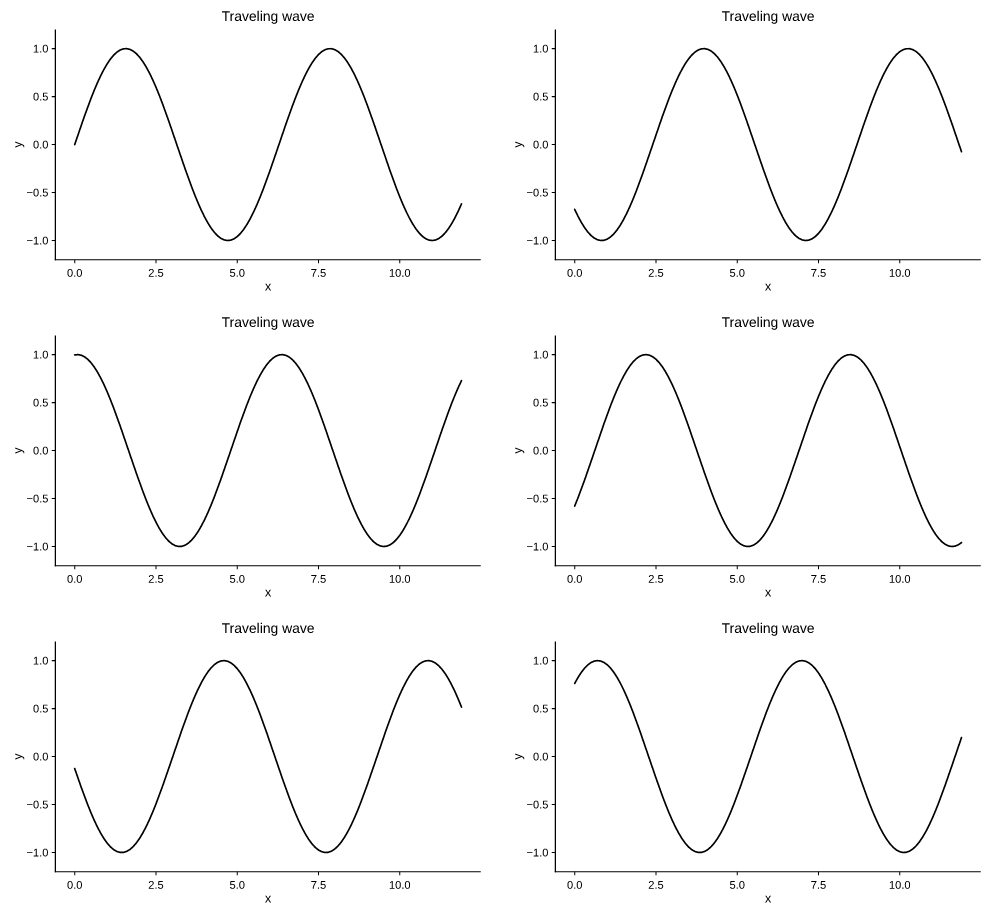
Because pyplotrs has no global "current figure", an animation is just a render
callback that returns a fully-built Figure for each frame. The frames are
rasterized and encoded to an animated GIF or APNG.
"""An animated GIF: a traveling wave."""
import math

import pyplotrs as pp

xs = [i * 0.1 for i in range(120)]

def frame(i):
    fig, ax = pp.subplots(figsize=(360, 220))
    ax.line(xs, [math.sin(x - i * 0.3) for x in xs], color="C0")
    ax.set(title="Traveling wave", xlabel="x", ylabel="y", ylim=(-1.2, 1.2))
    return fig

pp.animate(frame, frames=40, fps=20).save("animation_wave.gif")
How it works
animate (or the
Animation class) takes:
render— a callback invoked once per frame asrender(value), returning aFigure;frames— anint(the callback receives0 … frames-1) or any iterable of values passed through in order;fps— frames per second (default 20);repeat— loop forever (default) or play once.
import pyplotrs as pp

def render(i):
    fig, ax = pp.subplots(figsize=(360, 220))
    ax.line(xs, [f(x, i) for x in xs])
    ax.set(ylim=(-1.2, 1.2), title=f"frame {i}")
    return fig

anim = pp.animate(render, frames=60, fps=24)
anim.save("out.gif")     # 256-color, broadly viewable
anim.save("out.apng")    # full 8-bit color, higher fidelity
Building a whole figure per frame sounds expensive and is not: a figure is a
list of recorded marks until it is rendered, and the rendering is the same Rust
path a single save takes.
Saving
save chooses the encoder from the extension — .gif, or .apng/.png for
APNG; anything else raises ValueError. Two options can be overridden at save
time:
dpi sets the raster resolution (default 100, lower than Figure.save's 200
because an animation is many frames), and fps overrides the rate given at
construction. format= overrides the extension when the path has none.
Every frame must share the same figure size — the animation canvas is fixed, and
a mismatch raises ValueError naming the frame size that differed.
render is called once per frame per save, so writing two formats from one
Animation builds every figure twice — and a callback that draws on random
numbers would not even build the same one twice. When that matters, encode once
and write the bytes yourself:
to_bytes is what save is built on;
it is also the way out when the destination is not a file — an HTTP response, a
zip member, a BytesIO.
In a notebook
A bare anim in a cell plays, the way a bare fig renders as a PNG:
The inline render is a GIF at 100 dpi — image/gif is the one animated format
every notebook frontend plays, and an animation multiplies a still figure's
resolution by its frame count into a file you may well commit. Over 20 MB it
raises rather than quietly dropping frames; save at your own dpi is the
answer there. Note that displaying an animation runs render once per frame,
just as saving does, so a callback with side effects runs again on every echo.
Iterable frames
frames can be any iterable, so you can drive the animation from data
rather than from an index:
GIF vs APNG
GIF quantizes each frame to at most 256 colors — near-lossless for typical plots, which have few distinct colors — and plays anywhere. APNG keeps full 8-bit-per-channel color and is the better choice for colormapped fields or anything with smooth gradients.